
Choosing the right platform to establish your company’s digital home is one of the most consequential decisions you will make as a business owner. When you start exploring your options, the debate of WordPress vs website builders almost always takes center stage, highlighting two very different philosophies of web creation. One path offers absolute control and limitless scalability, while the other prioritizes speed, simplicity, and an out-of-the-box experience. Understanding how these platforms differ will save you countless hours of frustration and ensure your investment pays off. The Presswick Media team put this guide together for you.
What Is WordPress vs Website Builders?
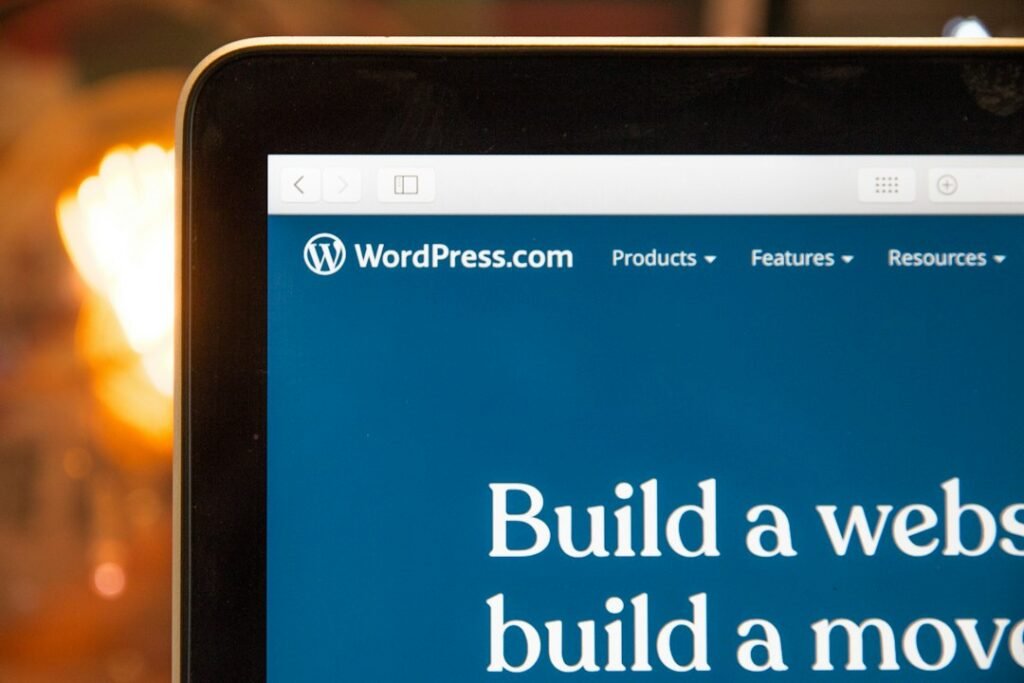
WordPress vs website builders refers to the fundamental choice between using a self-hosted content management system that requires independent hosting and technical management, versus an all-in-one SaaS platform that bundles hosting, design, and support into a single monthly subscription. WordPress powers over forty percent of all websites on the internet, relying on a vast ecosystem of themes and plugins to build everything from simple blogs to massive enterprise stores. On the other side, simpler website builders abstract away the technical backend entirely, allowing non-technical users to drag and drop elements onto a canvas without touching a single line of code.
When you are sitting down to map out your digital strategy, the technical hurdles can feel overwhelming. Many entrepreneurs jump into a platform without thinking about how their needs will evolve over the next three to five years. If you outgrow your platform, migrating thousands of pages and products later on is a massive headache. Therefore, looking at the long-term roadmap of your enterprise is just as important as evaluating how easy it is to set up a landing page today. A balanced assessment looks at cost, flexibility, learning curves, and maintenance requirements.
Let us look at the core differences by breaking down the practical realities of managing both ecosystems. Most business owners want to know how much time they will spend fixing bugs versus actually selling their products or services. If you have a dedicated tech person on staff, your calculus changes completely compared to a solo founder running everything alone. Let us dive deeper into the operational trade-offs.
The Operational Realities of Customization and Control
Control is often the defining factor that pushes companies toward self-hosted systems. When you own your database and files, nobody can shut down your store or change their terms of service in a way that breaks your layout. You can modify the core code, integrate complex custom databases, and build unique user experiences that simply do not exist in template marketplaces. However, this freedom comes with a price tag: you are entirely responsible for your own updates, backups, and site safety. If you want to keep your platform running smoothly, you need to implement WordPress security basics to protect your customer data from malicious actors and unexpected downtime.
Conversely, closed SaaS ecosystems take the burden of maintenance completely off your shoulders. The hosting company handles server updates, security patches, and uptime monitoring behind the scenes. If something breaks, their support team is just a chat message away. The downside is that you are living in a rented house. You play by their rules, use their approved extensions, and accept their pricing structures. If they decide to double their monthly fees or discontinue a feature you rely on, you have very little leverage.
Another major consideration is performance and speed optimization. A self-hosted site can be lightning fast if you invest in premium hosting and carefully manage your assets, but a bloated configuration will drag load times down significantly. Learning simple ways to speed up a WordPress site becomes essential once you start adding heavy media files and tracking scripts. On the other hand, proprietary builders optimize their infrastructure globally, ensuring decent baseline speeds without requiring deep technical knowledge from the site owner.
Cost Structures and the Hidden Expenses of Growth
Budgeting for a website goes far beyond the initial monthly subscription or software download. While self-hosted software is technically free to download, you must pay separately for domain registration, web hosting, professional themes, and premium plugins. These costs can creep up on you over time, especially if you need specialized functionality that requires recurring developer licenses. Yet, transaction fees are usually non-existent outside of your chosen payment gateway, meaning you keep more of your revenue as your sales volume scales upward.
All-in-one website builders present a very clean, predictable monthly bill that covers hosting, SSL certificates, and customer support. For a small business with predictable cash flow, this predictability is a massive relief. However, as your store grows, these platforms often push you into higher tier pricing plans to unlock advanced features like abandoned cart recovery, professional reporting, or multi-currency support. Furthermore, many of these platforms charge additional transaction fees on every sale unless you use their proprietary payment processing systems, which can eat into your profit margins.
To help you weigh your options at a glance, here is a quick comparison of the two approaches across key business metrics:
- Setup Speed: Website builders offer immediate deployment with drag-and-drop ease, whereas WordPress requires installation, configuration, and theme setup.
- Ownership & Control: WordPress grants total code ownership and data portability; builders lock you into their proprietary ecosystem.
- Maintenance: WordPress demands active management of updates, backups, and firewalls; builders handle all technical maintenance automatically.
- Scalability: WordPress scales infinitely for complex, high-traffic web applications; builders work wonderfully for standard sites and mid-sized e-commerce.
- Support: WordPress relies on community forums and third-party developers; builders provide dedicated 24/7 customer service channels.
The right tool is never the most powerful one on the market; it is the one your team can actually manage, update, and use to drive revenue without burning out.
As you evaluate your technical stack, always keep your long-term business goals front and center. If your primary objective is to launch a local service business quickly and start booking clients by the end of the week, a streamlined website builder will get you across the finish line with minimal stress. If your vision involves building a massive content hub, a complex membership community, or an intricate e-commerce catalog with custom integrations, the flexibility of a self-hosted platform will serve you much better in the long run. Take stock of your current skills, your budget, and your growth trajectory before making a final commitment.
If you have any questions, feel free to get in touch with us through our contact page.